
What is Calendly?
And why would I use it?

Booking a meeting with other people in your organization is straightforward.
Open a new meeting invitation → add attendee names → scan everyone’s free/busy times → find the only 30-minute window that everyone has open next week → book it.
But planning a meeting with someone outside your organization is a completely different experience.
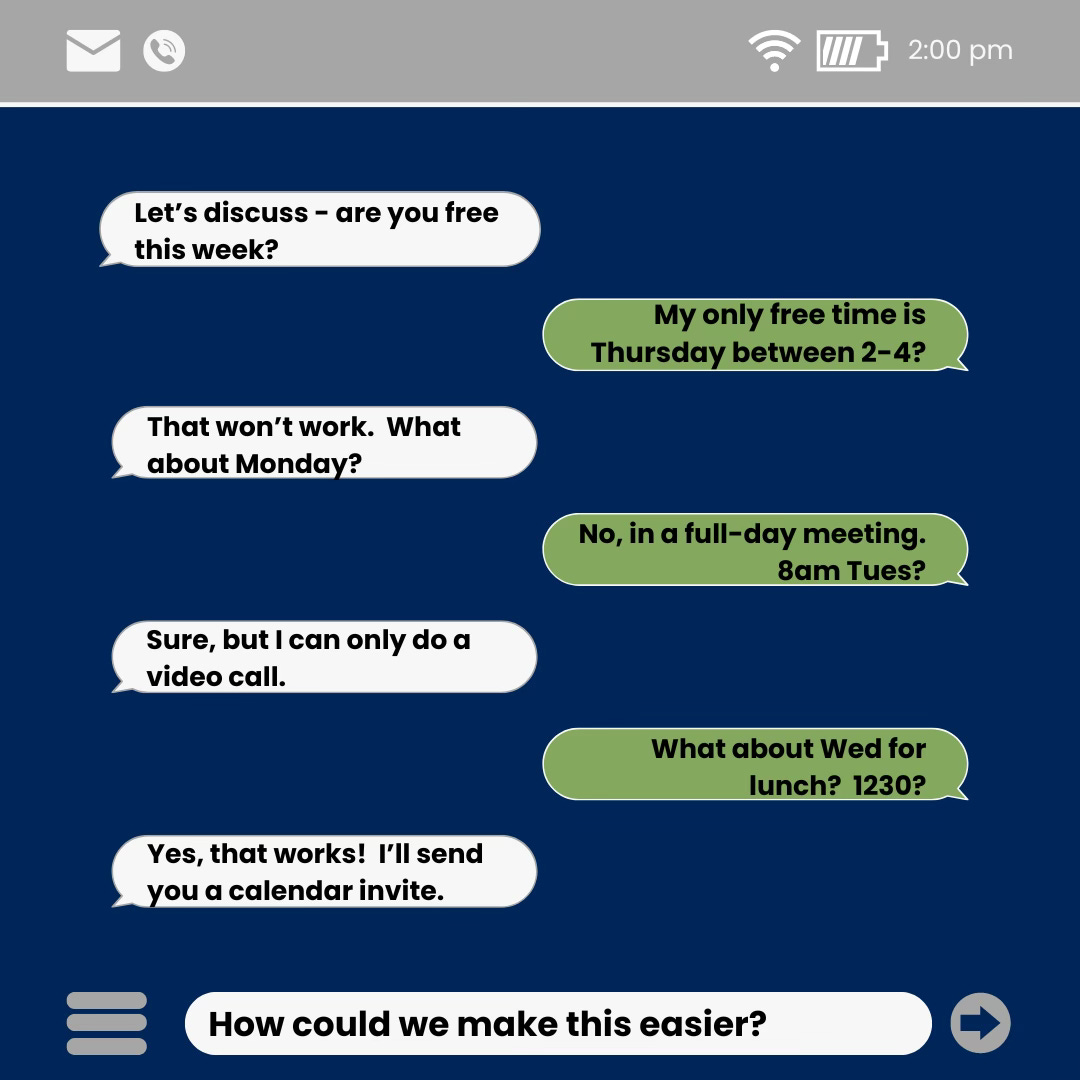
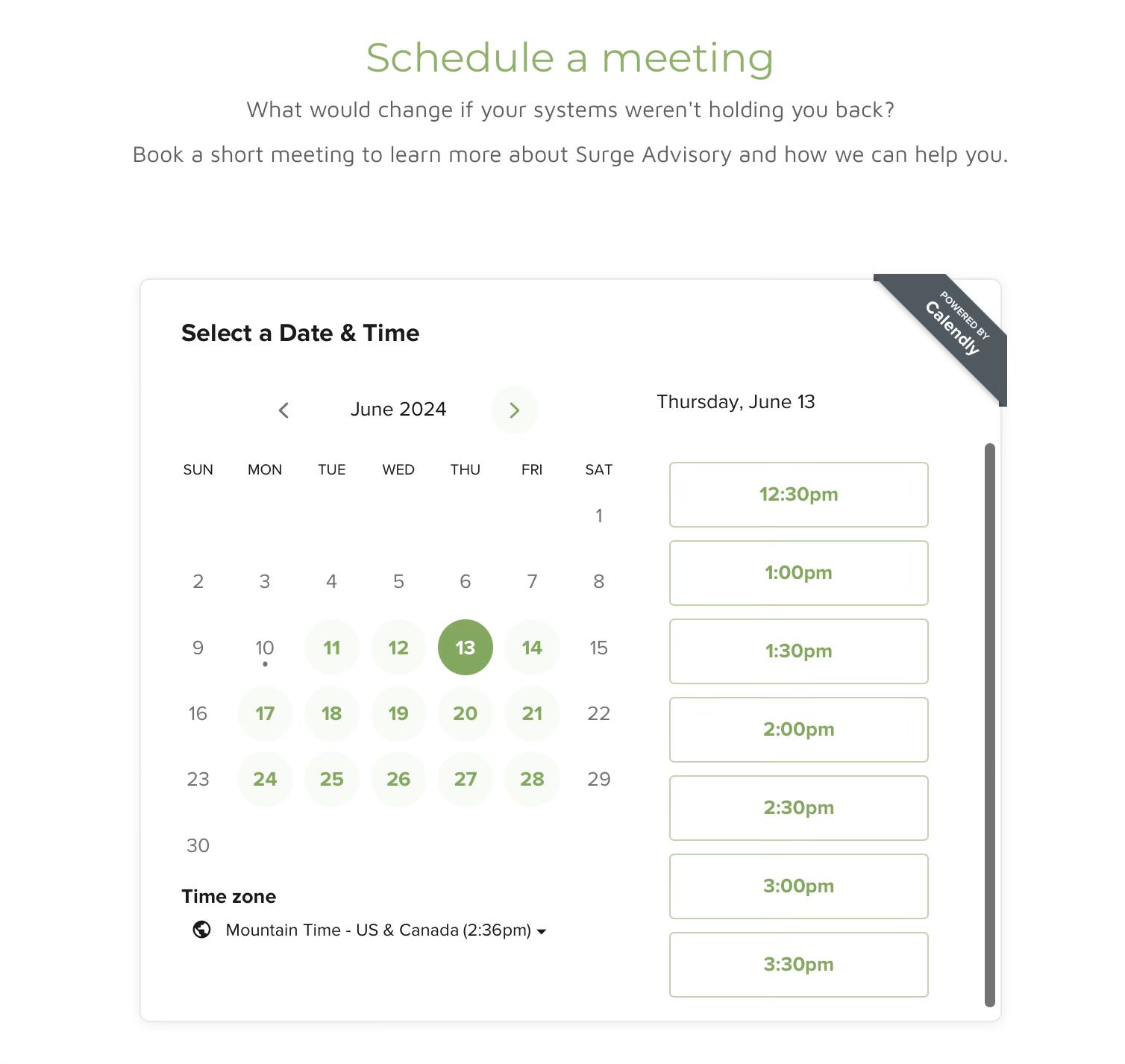
Calendly is a software system that lets you share your available meeting times outside your organization.
Clients, vendors or partners can compare your open calendar times with their own and book a time that works for both of you.
No more back and forth!
How does it work?
You link your work calendar to the Calendly system.
You set the rules about meetings booked through Calendly. Options include length of time, in person or video, days and hours of availability, etc.
You choose how and with whom to share your Calendly link (more on that below).
The setup process itself is very straightforward. It takes about 20 minutes to connect your calendar and create some basic calendar booking rules.
How do people use your Calendly?
Once you are set up, the next step is to give people your Calendly information, so they can see your availability and book a meeting. It can either be embedded within your website, or a public URL that can be shared.
Add it to your website.
Replace a “contact us” email form with the Calendly booking tool.
If you manage your own website content through Wordpress, Wix, Squarespace, or similar, adding Calendly is easy. Copy and paste a few lines of code from the Calendly administrative page into a new code block on your site. And then publish the change.
Website visitors can see what times you are available, and can easily book a meeting.
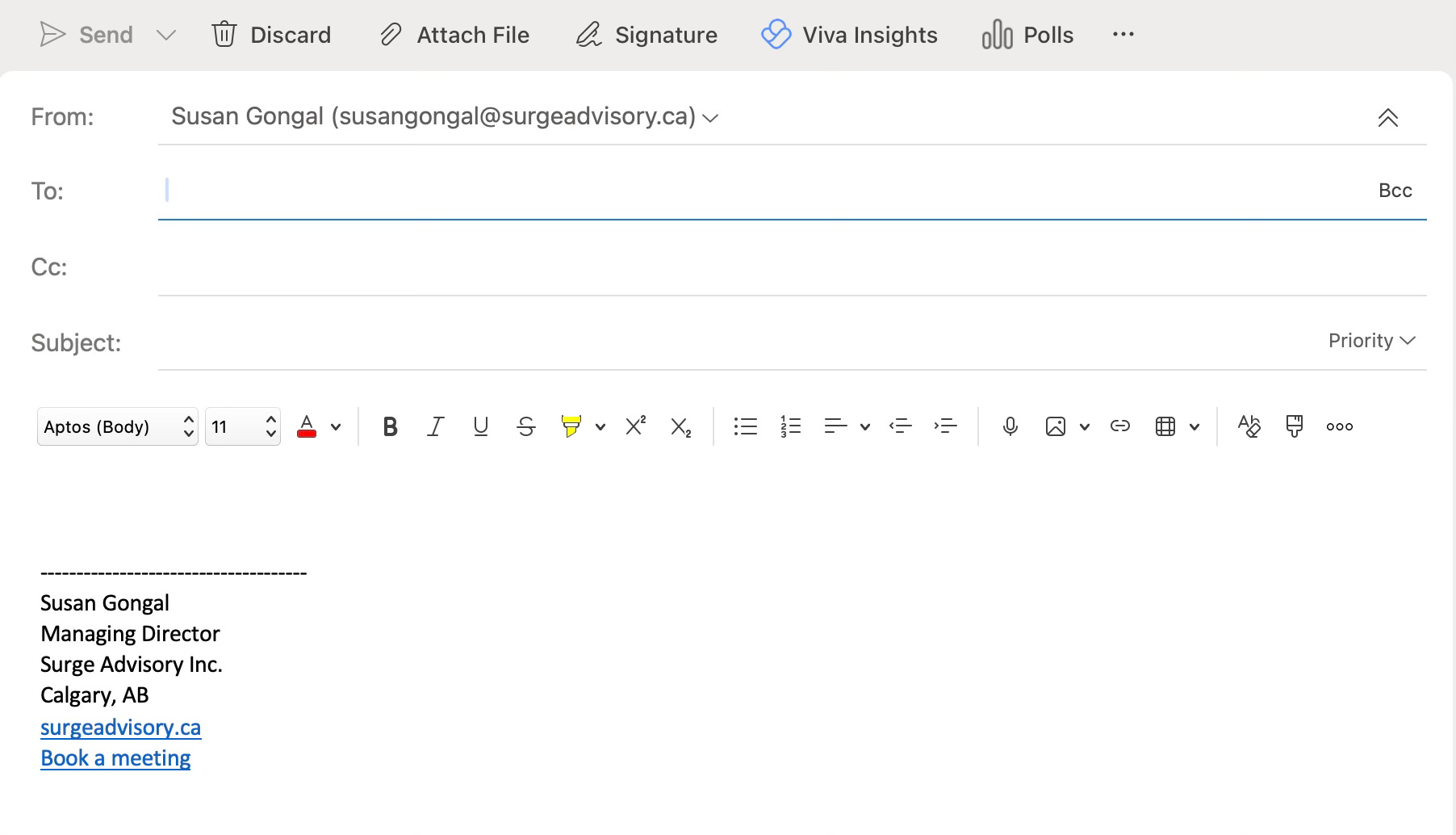
Include it in your email signature.
In your email signature, below your name, title, and contact info, you can add another line of text that reads “Book a meeting”, “Check my calendar”, or similar. And then turn that text into a link that opens your Calendly in a new browser window.
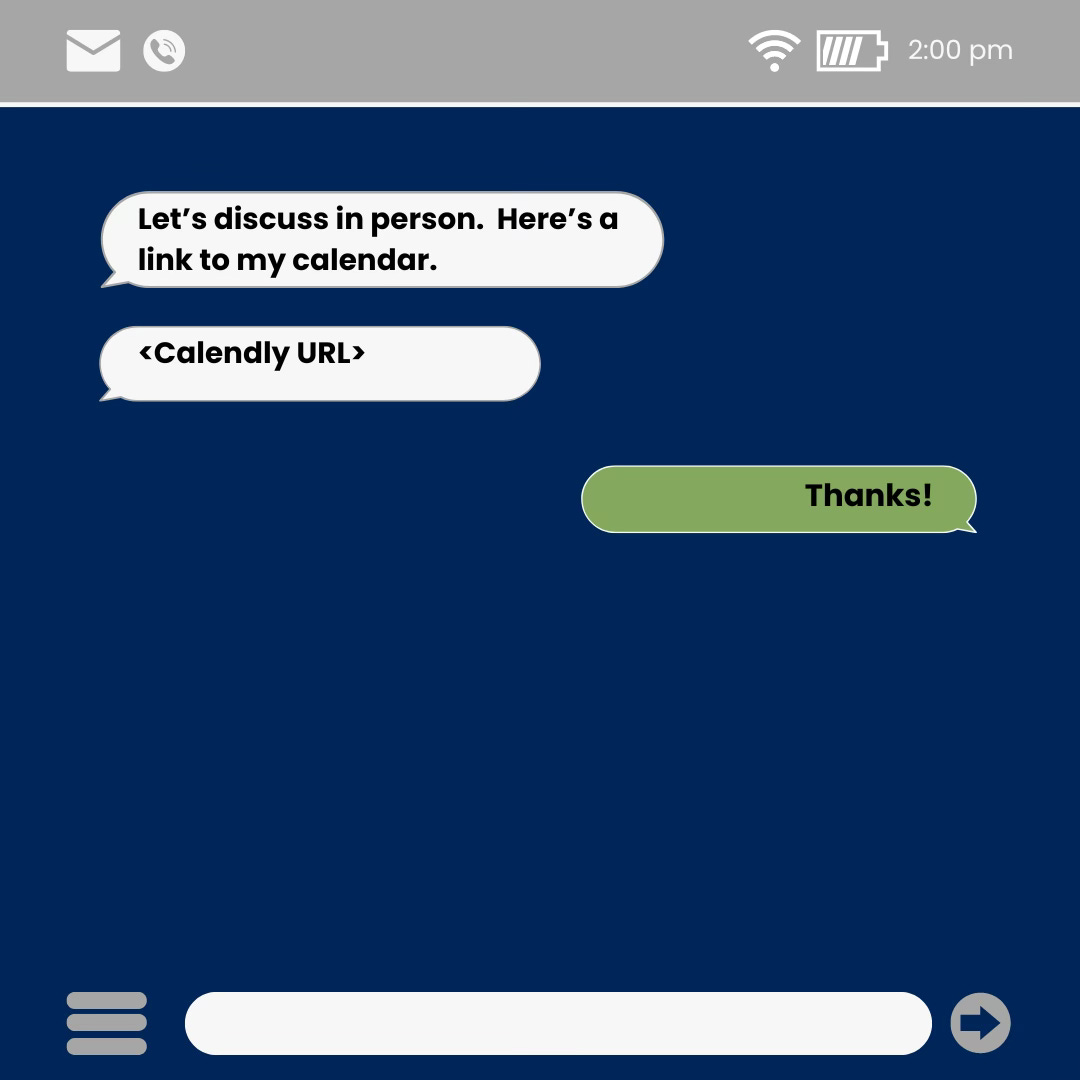
Offer your link
When the conversation turns towards booking a meeting, offer your Calendly link and avoid the back and forth.
What does it cost?
For one person, connecting one calendar? $0. And no credit card required!
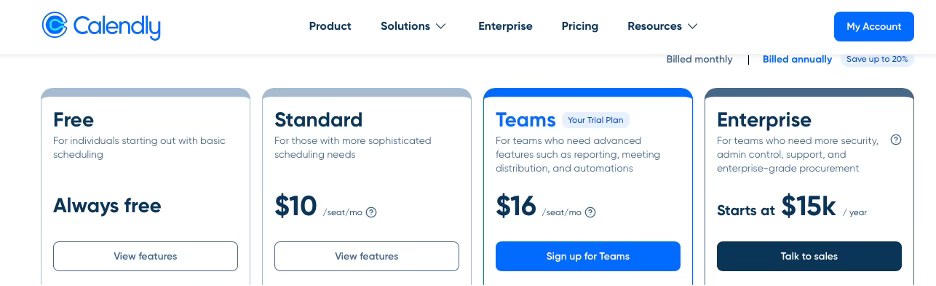
Calendly’s pricing strategy is strategic.
The idea is to allow people to try the software at no cost, to understand how it works and get comfortable with it.
Calendly is confident many of those users will want access to other features, including scheduling group events, connecting multiple calendars per person, or offering both video and in-person meeting options. And will be willing to pay for it.
Is Calendly the only solution?
No. They might be the most recognized brand offering this service, but other providers offer similar software.
The search terms you want to use are “scheduling automation software” or “business scheduling software”, if you want to do your own research.
Zoom has a Scheduler option, and HubSpot offers calendar scheduling within their Sales Hub tool. It’s worth investigating whether any of your existing software systems already have this capability.
You might already have this functionality, and not be using it.
In that case, you don’t need Calendly.
What to look for?
How each of these other providers charge for this functionality.
A common offer is a limited free trial (10, 14 or 30 days), and then automatically switch to a paid service.
If you find yourself going back and forth with your clients, vendors or partners to coordinate your calendars, offering the option of a Calendly link might improve their experience working with you. And save you some time and frustration along the way!
Update 2 weeks after signup: deceptive marketing strikes again
I originally signed up for the Free account. And didn’t read every word of the numerous marketing emails that hit my inbox (1x daily for the first two weeks, most filtered out into promotions or spam). And then saw the subject line of one of these emails - Your trial ends tomorrow...want to continue to use the features you love? Upgrade your account.
What?!?!
Did I make a mistake?
No, I did not.
In one of the first marketing emails, Calendly sneakily upgraded me to a Teams level trial for two weeks “but don’t worry, you’ll revert back to the free account once the trial is over”. So I waited a couple of days. And yes, the free account still works. So i’m still using it. For now.
But just like that, all the goodwill Calendly had earned is gone.
I've just discovered that Microsoft has rolled out Bookings which might have similar features to Calendly. I've yet to dive into it but hope it is as useful as Calendly, and then I can stay within a single productivity suite.